Docs · Building masters
Building master calibration frames
Build Masters is a side-flow reached from the Project screen (it’s deliberately not in the sidebar). It combines your raw bias / dark / flat sub-frames into master calibration files. You only need to run it once per camera + temperature combination — the output folder can be reused across many stacks.
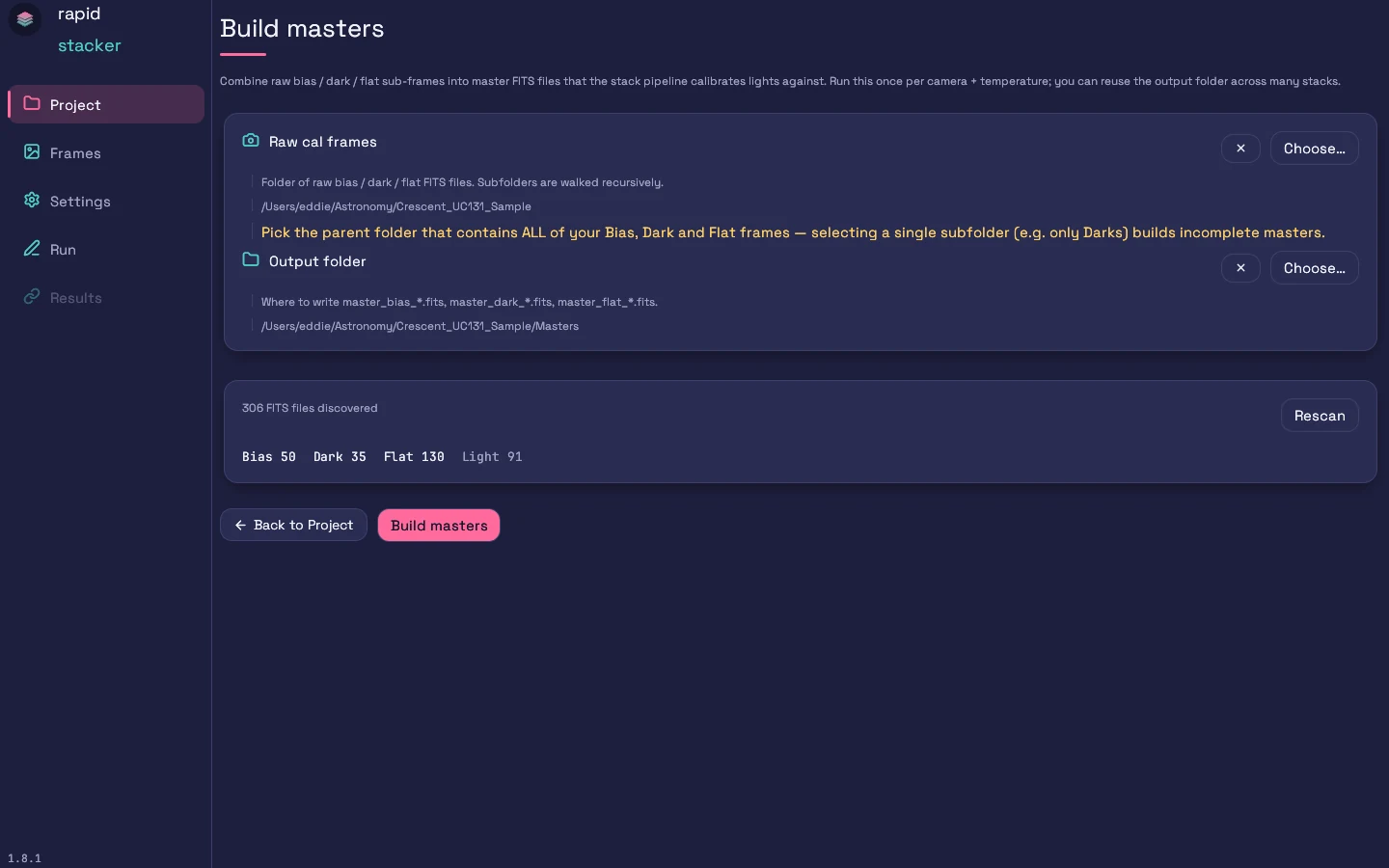
Pick two folders — both are pre-selected (1.8.4+) when you picked a Main Project Folder, so change them only if your calibration frames live elsewhere:
- Raw cal frames — the folder holding your raw bias, dark, and flat FITS files (subfolders are walked recursively). Defaults to the project folder, whose light frames and
Masters/Stackedfolders are ignored. Heed the yellow warning: “Pick the parent folder that contains ALL of your Bias, Dark and Flat frames — selecting a single subfolder (e.g. only Darks) builds incomplete masters.” - Output folder — where the
master_bias_*,master_dark_*,master_flat_*files are written. Point it at your project’sMastersfolder; in calibration-library mode it is that project’s flat-masters folder.
The scan card shows what was found — e.g. Bias 150 · Dark 230 · Flat 958 — plus a Rescan button. If any frames show as Unclassified, they won’t be built into a master; tag them via the FITS IMAGETYP header, a filename prefix (Bias_ / Dark_ / Flat_), or a subfolder name containing “bias”, “dark”, or “flat”.
A few smart behaviors run automatically: very short “darks” (≤ 5 s by default) are treated as dark-flats; and with per-session flats enabled (the default — see Settings → Grouping), a separate master flat is built for each observing night, and each light is later calibrated against the flat nearest in time.
Calibration-library mode (1.8.4+). When the output is this project’s flat-masters folder — that is, you kept a masters library for bias and darks on the Project screen — Build Masters builds only flats and dark-flats, and says so above the scan card. The flats are calibrated with this project’s own dark-flats where it has them, falling back to the library’s bias and dark-flat masters.
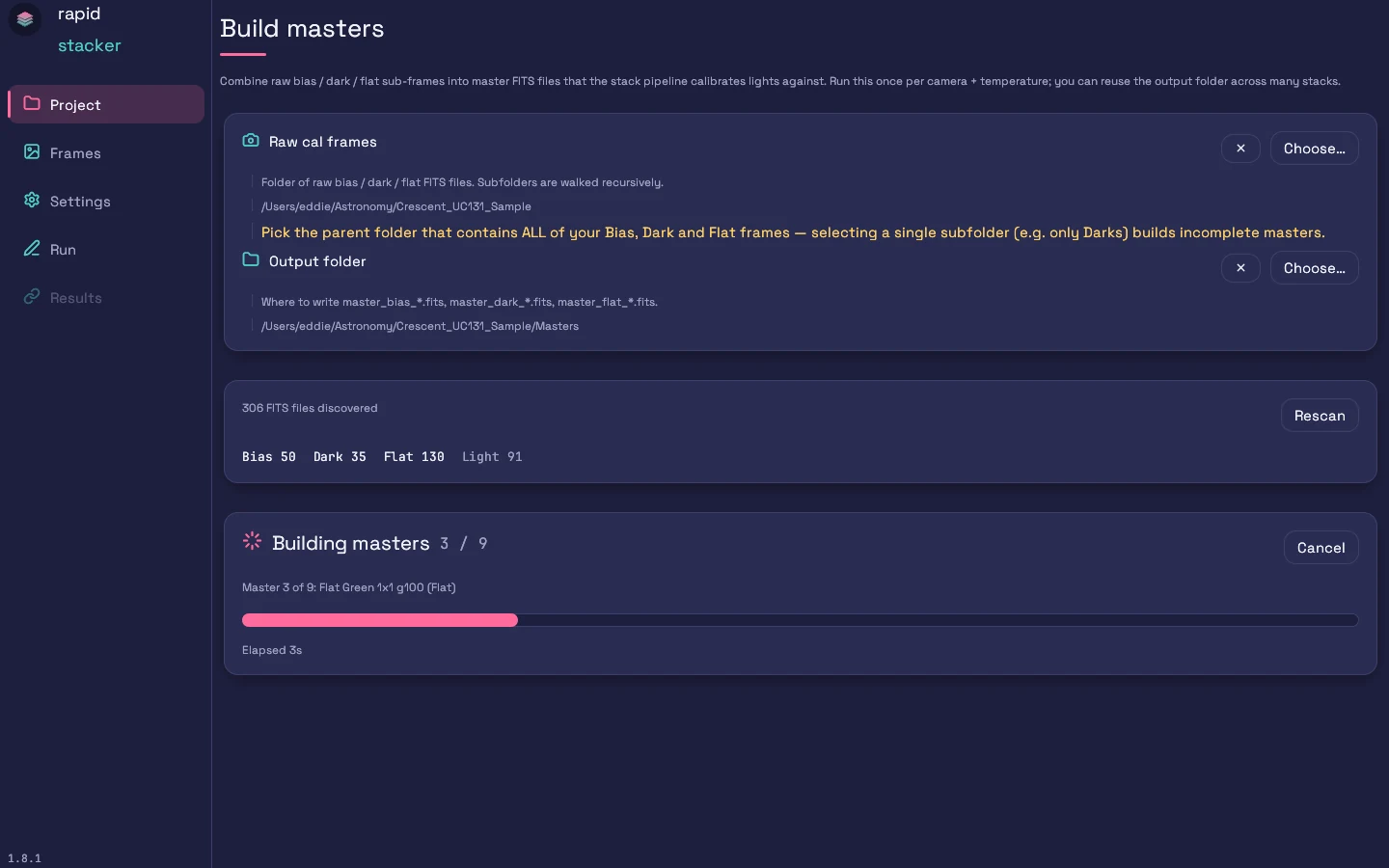
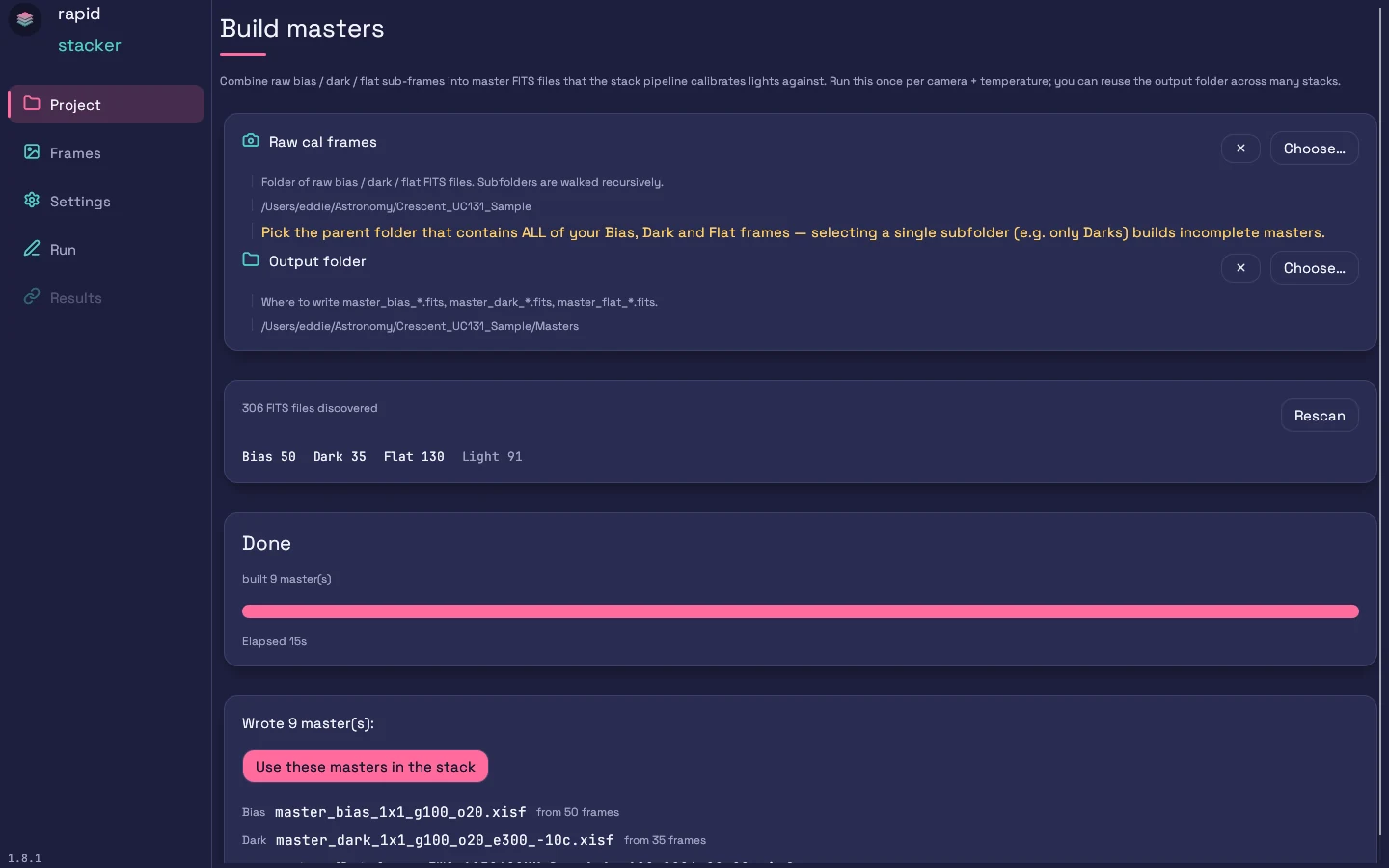
The scan runs on a background thread, so a large cal library shows a scanning card instead of freezing the window; Rescan just invalidates the cached result, and you can start a build while a scan is still finishing. A build in progress can be stopped with Cancel — masters already written are kept, and the run ends in a Cancelled state rather than being rolled back.
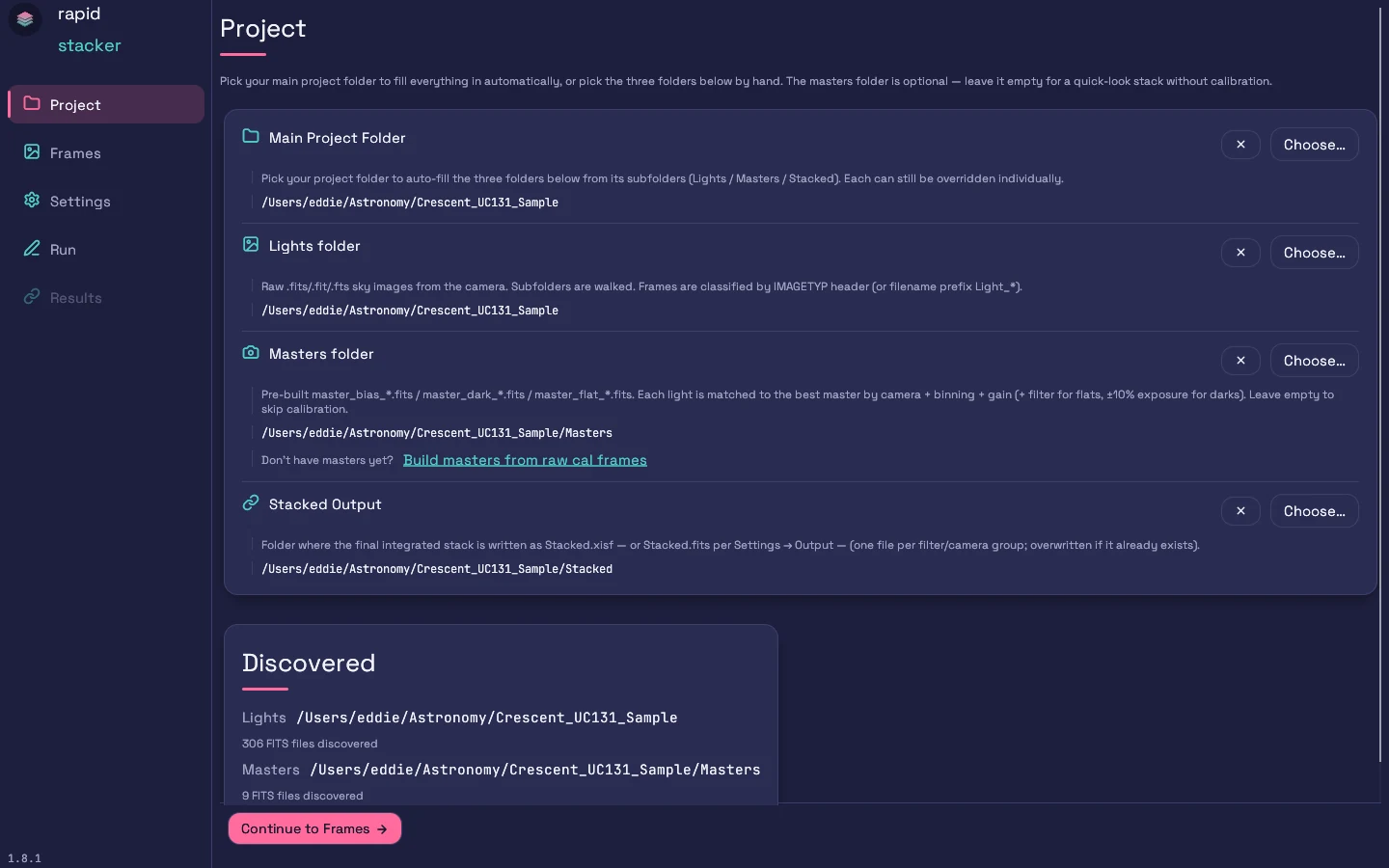
When the build finishes, click Use these masters in the stack — it sets the output folder as your project’s Masters folder — or, in calibration-library mode, as its flat-masters folder — and returns you to the Project screen, ready to continue.
Next steps
- Project & frames — how masters are matched to lights
- Settings reference → Calibration — cosmetic correction, dark optimization
- CLI — script it with
rapid-stacker-cli build-masters