GPU-native stacking

Stack your subs ~3× faster than WBPP.

Rapid Stacker calibrates, registers, and integrates your astrophotography sub-frames end to end on the GPU. On our M31 reference set, 106 hours of integration that PixInsight’s WBPP took 8.5 hours to stack finished in 2.75 hours — about 3× faster, with similar quality.

How it works

Three steps from subs to masters

Point it at your project

Pick your session folder — lights, masters, and output resolve automatically. No masters yet? Build them from your raw bias / dark / flat frames in one extra click.

Pick Mono or OSC

One switch applies a complete, benchmark-validated preset — PSF-signal weighting, local normalization, quality gates, drizzle. Every knob stays editable.

Stack & solve

Live progress, ETA, and an in-progress preview. Out the other side: plate-solved 32-bit XISF masters that SPCC works on directly — ready for PixInsight.
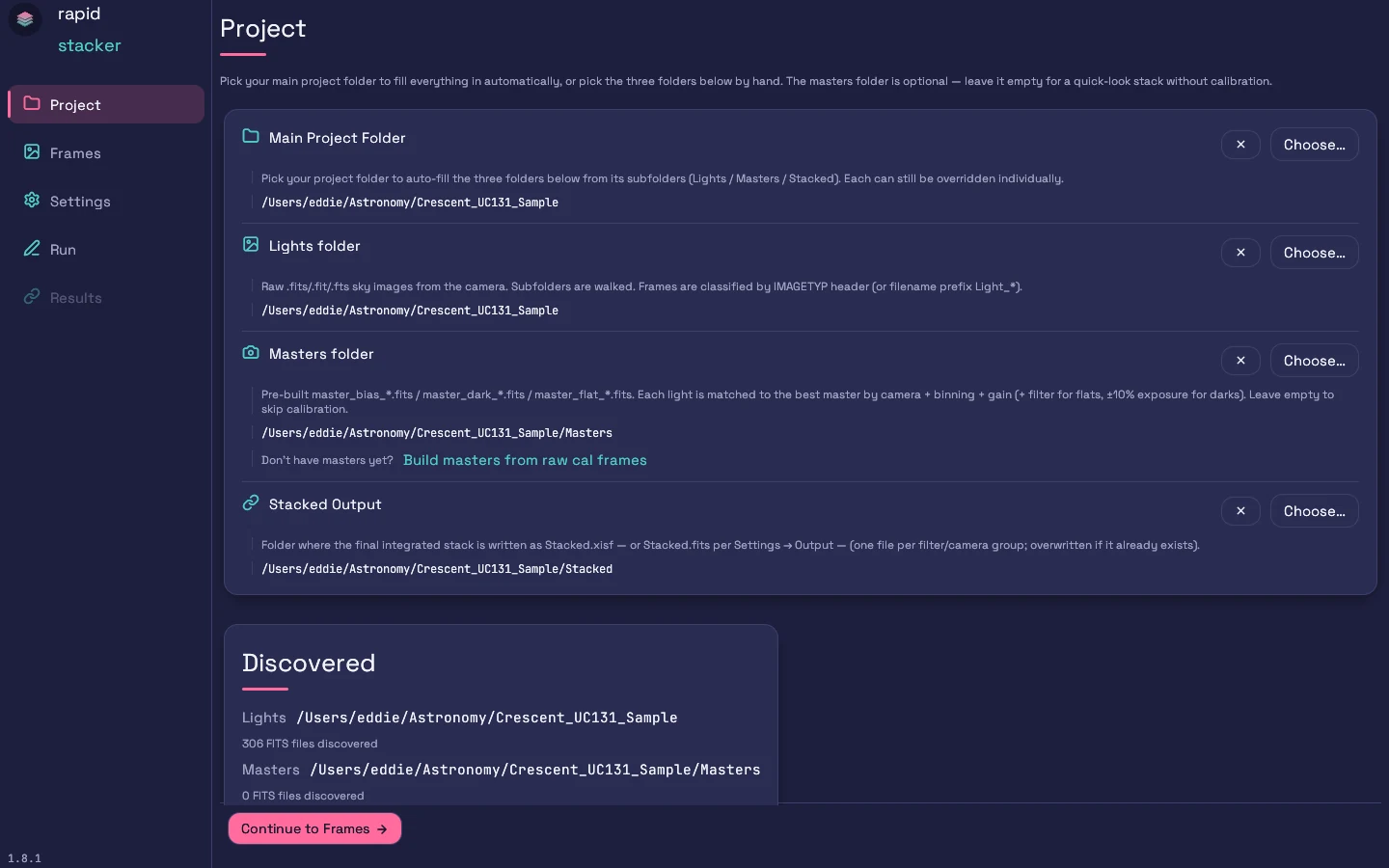
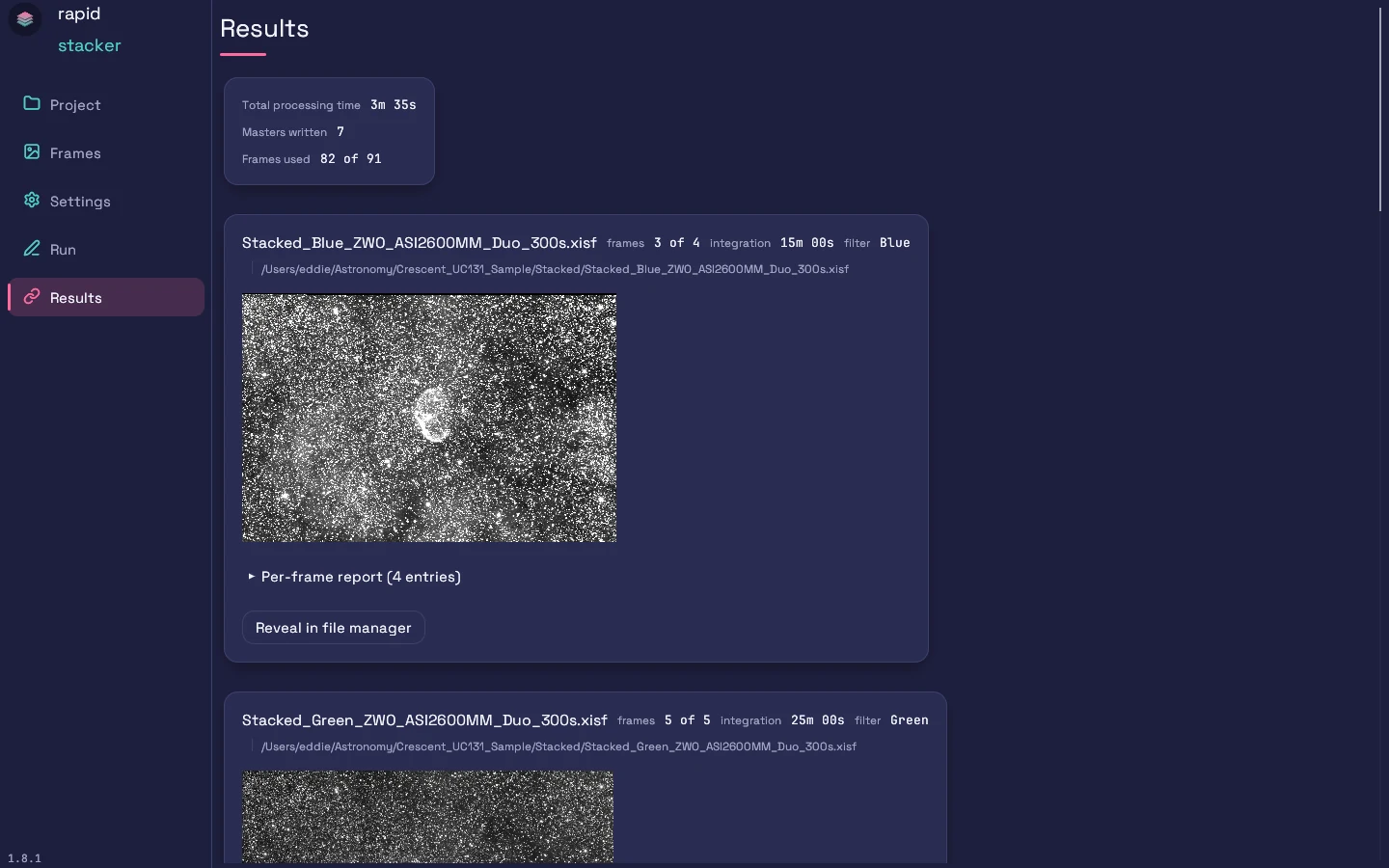
The Project screen with all folders filled in and frames discovered Results screen: one card per stacked group with previews, integration totals, and per-frame reports

See every pipeline stage →  ·  Read the docs →

Download

Get Rapid Stacker (loading…)

Free, with every stage included, on macOS, Windows, and Linux. Pick your platform — SHA-256 checksums and full file sizes are listed below each button.

macOS

Apple Silicon (M1 / M2 / M3 / M4 / M5), signed & notarized

Download .dmg

size: —

SHA-256: —

Requires: macOS 11 (Big Sur) or later on Apple Silicon.
No additional libraries or runtimes — everything is bundled inside rapid-stacker.app. Drag it into /Applications and launch.
Includes rapid-stacker-cli: Settings → Command-line tool puts it on your PATH.
Intel Macs are not currently supported.

Windows

MSI (recommended) and NSIS .exe installer

Download .msi .exe (NSIS)

MSI — size: — · SHA-256: —

.exe — size: — · SHA-256: —

Requires: Windows 10 (version 1809) or Windows 11, x86-64, plus the Microsoft Visual C++ 2015–2022 Redistributable (x64).
The Redistributable is preinstalled on most systems (shipped with Office, Visual Studio, and many games). If you see a "VCRUNTIME140.dll was not found" error on launch, install it from the link above.
Everything else — cfitsio, the GUI, and the wgpu (Direct3D 12 / Vulkan) renderer — is bundled inside the installer.
Both installers include rapid-stacker-cli and add it to your PATH (open a new terminal after installing).

Linux

AppImage (universal) and .deb (Debian/Ubuntu)

Download .AppImage .deb

AppImage — size: — · SHA-256: —

.deb — size: — · SHA-256: —

Requires: libgl1, libgtk-3-0, libxkbcommon0
The .deb pulls these in automatically. AppImage users on a minimal install may need:
sudo apt install libgl1 libgtk-3-0 libxkbcommon0
For GPU-accelerated stacking, a Vulkan loader (libvulkan1) and your GPU vendor's Vulkan driver may also be required.
The .deb installs rapid-stacker-cli in /usr/bin. The AppImage can't expose it, so it is also available on its own as the CLI only archive — no GUI libraries needed, handy for headless servers.

Heads up on the Windows installer. Both the .msi and .exe are code-signed by EKE Services LLC via Azure Trusted Signing. Brand-new releases haven't yet built up Microsoft Defender SmartScreen download reputation, so the first few users may still see a "Windows protected your PC" prompt — click More info → Run anyway. The signature itself can be inspected via right-click → Properties → Digital Signatures, and the SHA-256 above should match what you compute locally. The macOS .dmg is signed and notarized; the .deb / AppImage need no equivalent step on Linux.

Verify your download

SHA-256 checksums

macOS

shasum -a 256 rapid-stacker_*.dmg

Linux

sha256sum rapid-stacker_*.AppImage rapid-stacker_*.deb rapid-stacker-cli_*.tar.gz

Windows (PowerShell)

Get-FileHash -Algorithm SHA256 .\rapid-stacker_*.msi, .\rapid-stacker_*-setup.exe