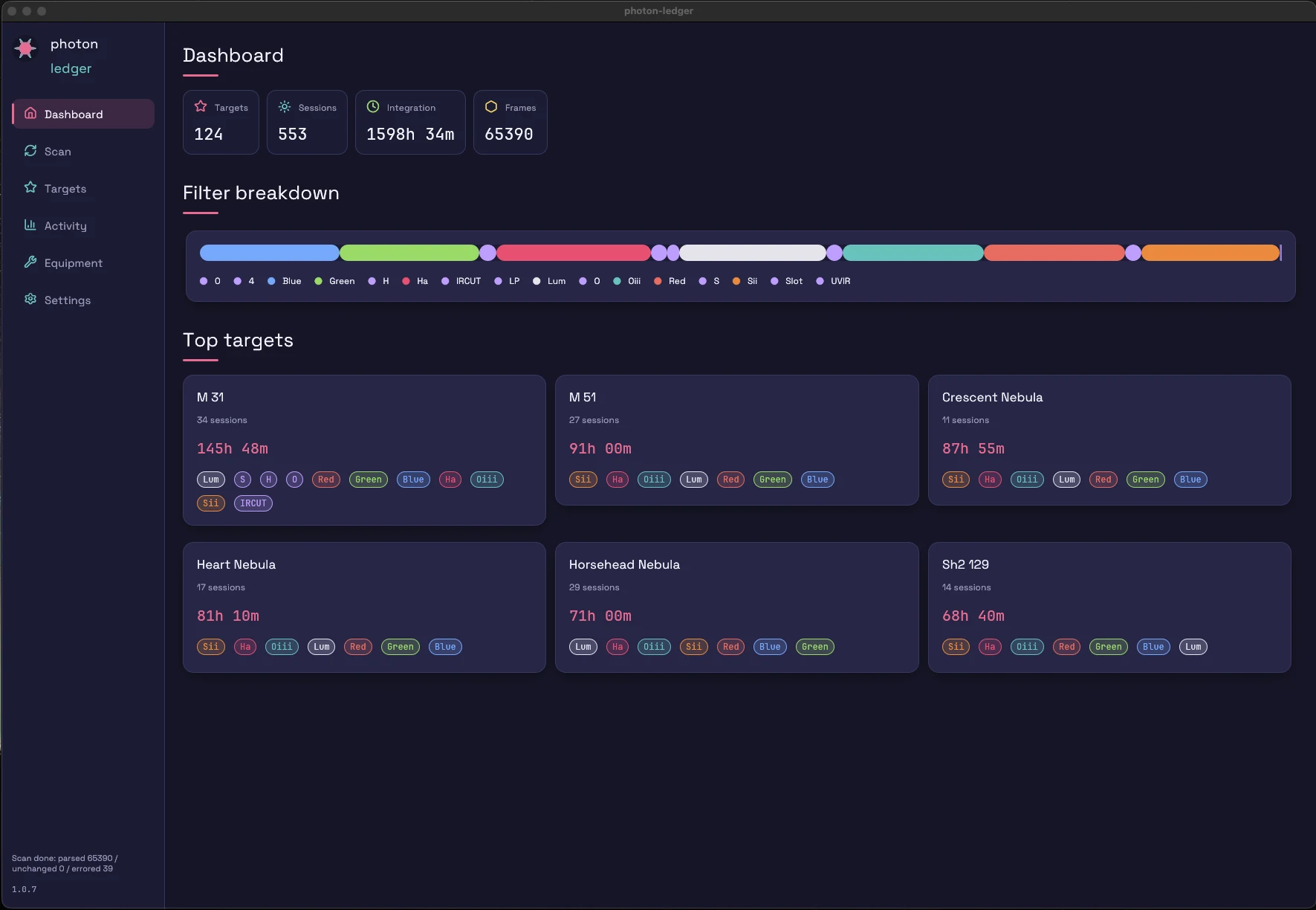
Dashboard
One screen, everything.
Total integration, target count, session count, frame count. Per-filter breakdown across L R G B Ha OIII SII. Recent sessions, top targets, quick navigation.
Features
A scan reads FITS headers, populates a local database, and turns the result into six views that answer different questions about your archive.
Analytics platform
A scan reads your FITS headers into a local database — headers only, never pixel data — then turns it into target, equipment, filter, and session analytics, plus calibration-aware export. Here's each view, end to end.
Dashboard
Total integration, target count, session count, frame count. Per-filter breakdown across L R G B Ha OIII SII. Recent sessions, top targets, quick navigation.
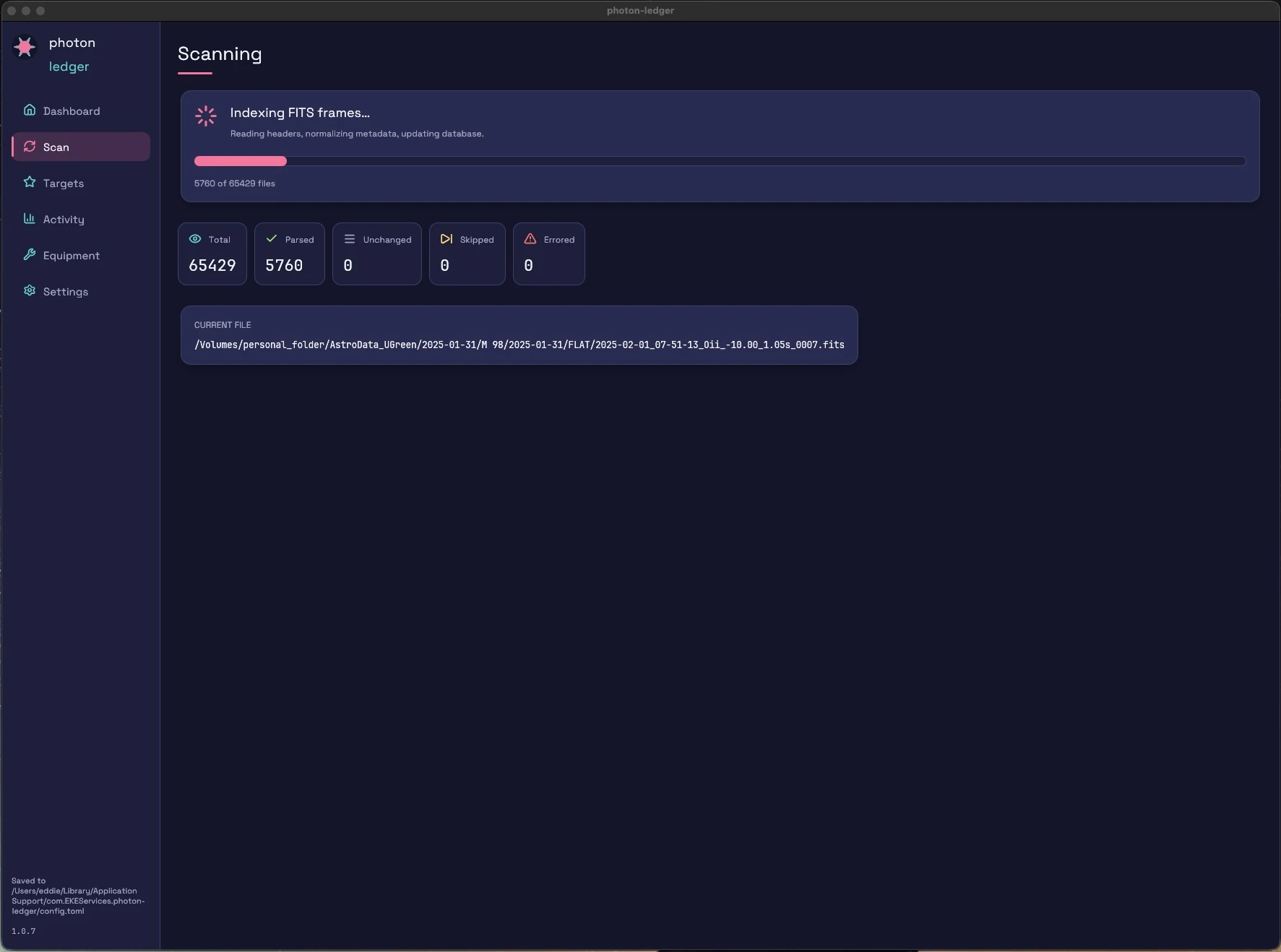
Scan
Point at a folder. Photon Ledger walks the tree, parses every .fit / .fits / .fts header in parallel — including fpack Rice-compressed .fz files — normalises filter and target names, and writes to a local database. No pixel data is read. Progress, errors, and per-folder stats are live.
Two folder layouts supported: date-first or target-first. See the schemas →
Targets
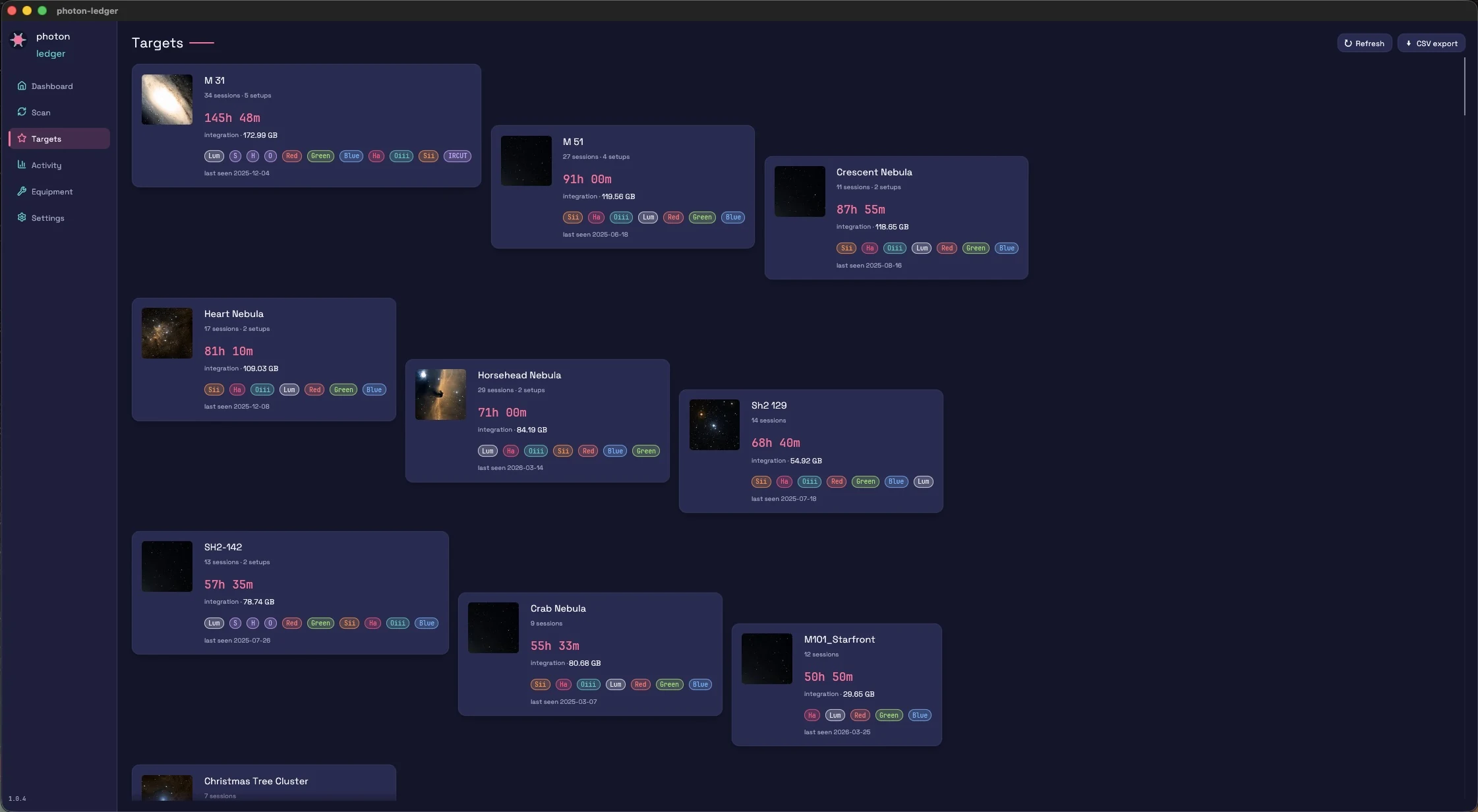
M81, NGC 7000, IC 1318 — every object you've imaged, with total integration, filter mix, session count, and which scope/camera you used. Sort, filter, and search.
Targets
M81, NGC 7000, IC 1318 — every object you've imaged, with total integration, filter mix, and session count. Shot the same target on a 130mm refractor and an 8" SCT? You see them as two separate sets — different sensors and focal lengths don't stack physically, so they shouldn't stack in the report. Setup key is (camera, telescope, focal length), so Hyperstar vs native f/10 on the same OTA also split.
Drill into any target for a full breakdown: per-rig totals, filter-by-filter integration bars, and a session card for every imaging night you've spent on it.
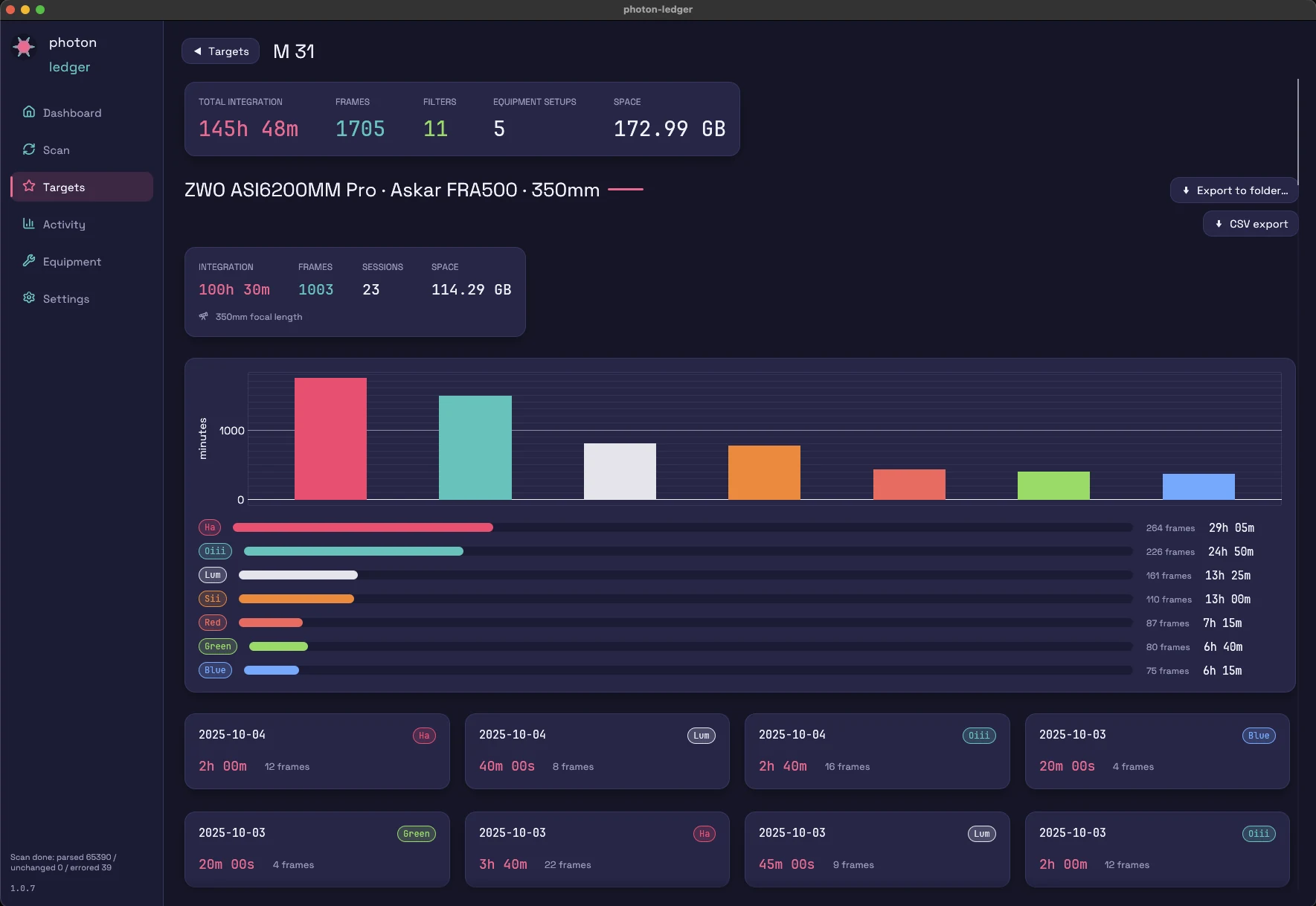
Target Analytics
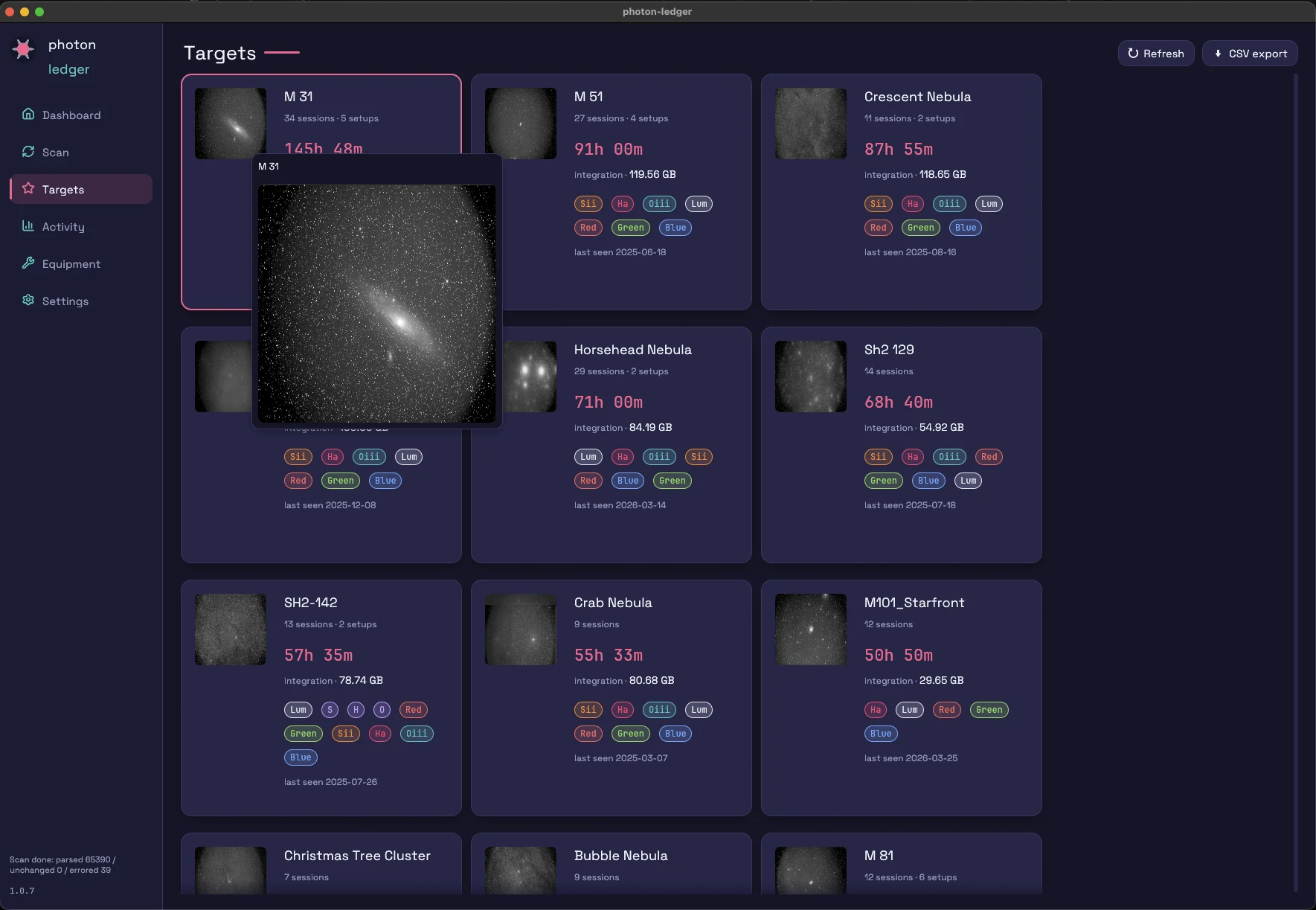
M81, NGC 7000, IC 1318 — every object you've imaged, with total integration, filter mix, and session count. Shot the same target on a 130mm refractor and an 8" SCT? You see them as two separate sets — different sensors and focal lengths don't stack physically, so they shouldn't stack in the report. Setup key is (camera, telescope, focal length), so Hyperstar vs native f/10 on the same OTA also split.
Drill into any target for a full breakdown: per-rig totals, filter-by-filter integration bars, and a session card for every imaging night you've spent on it.
Activity
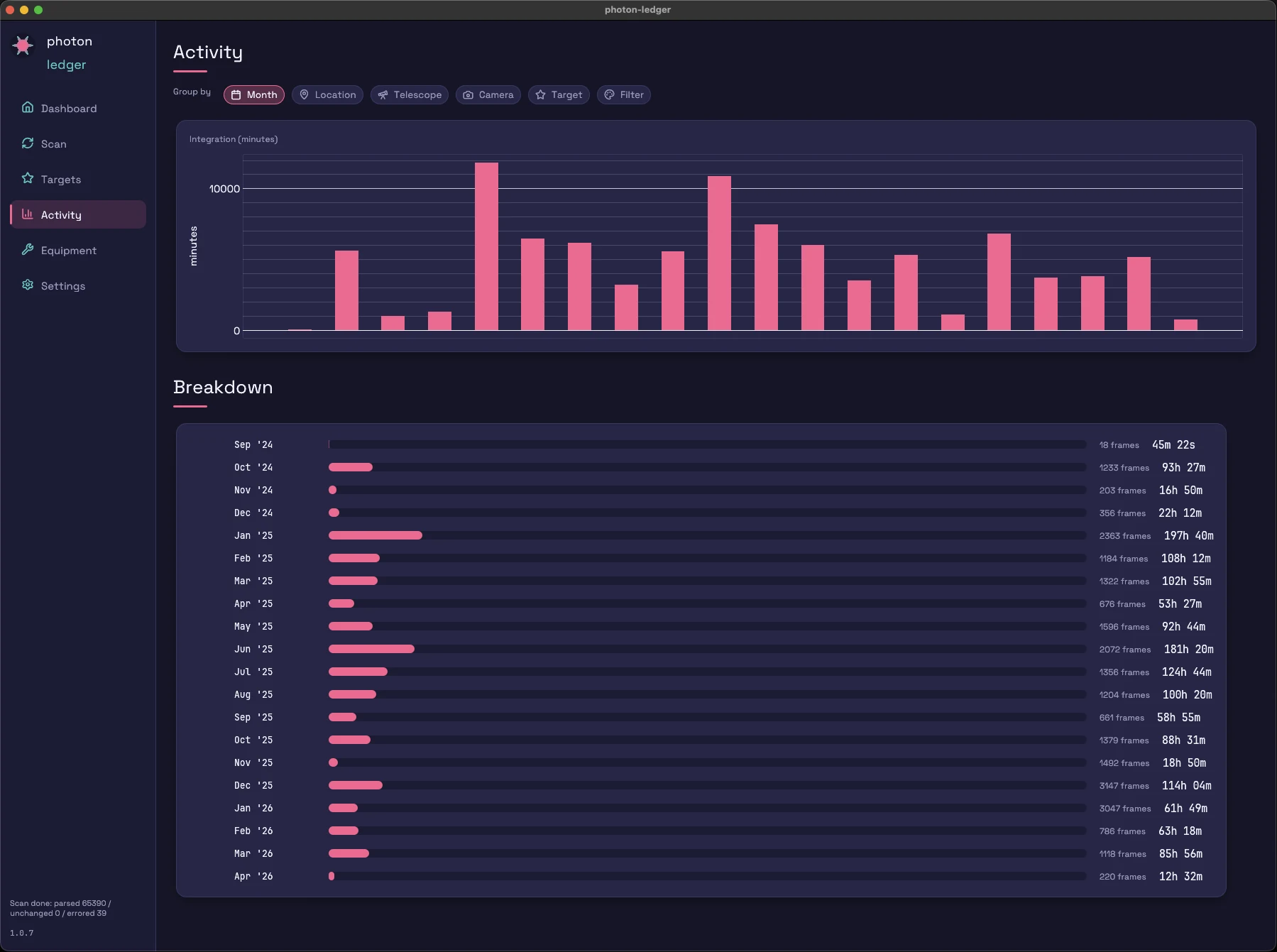
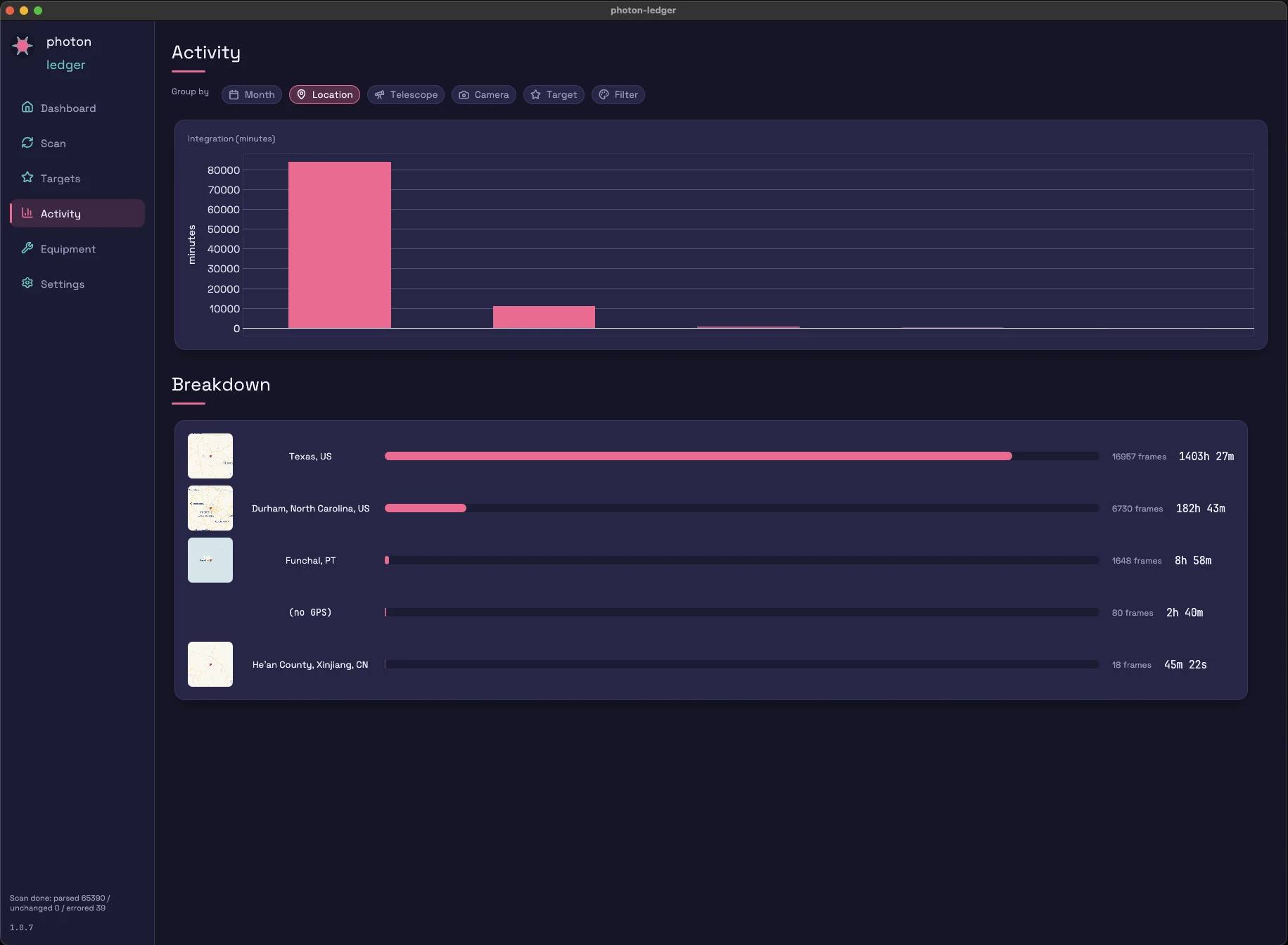
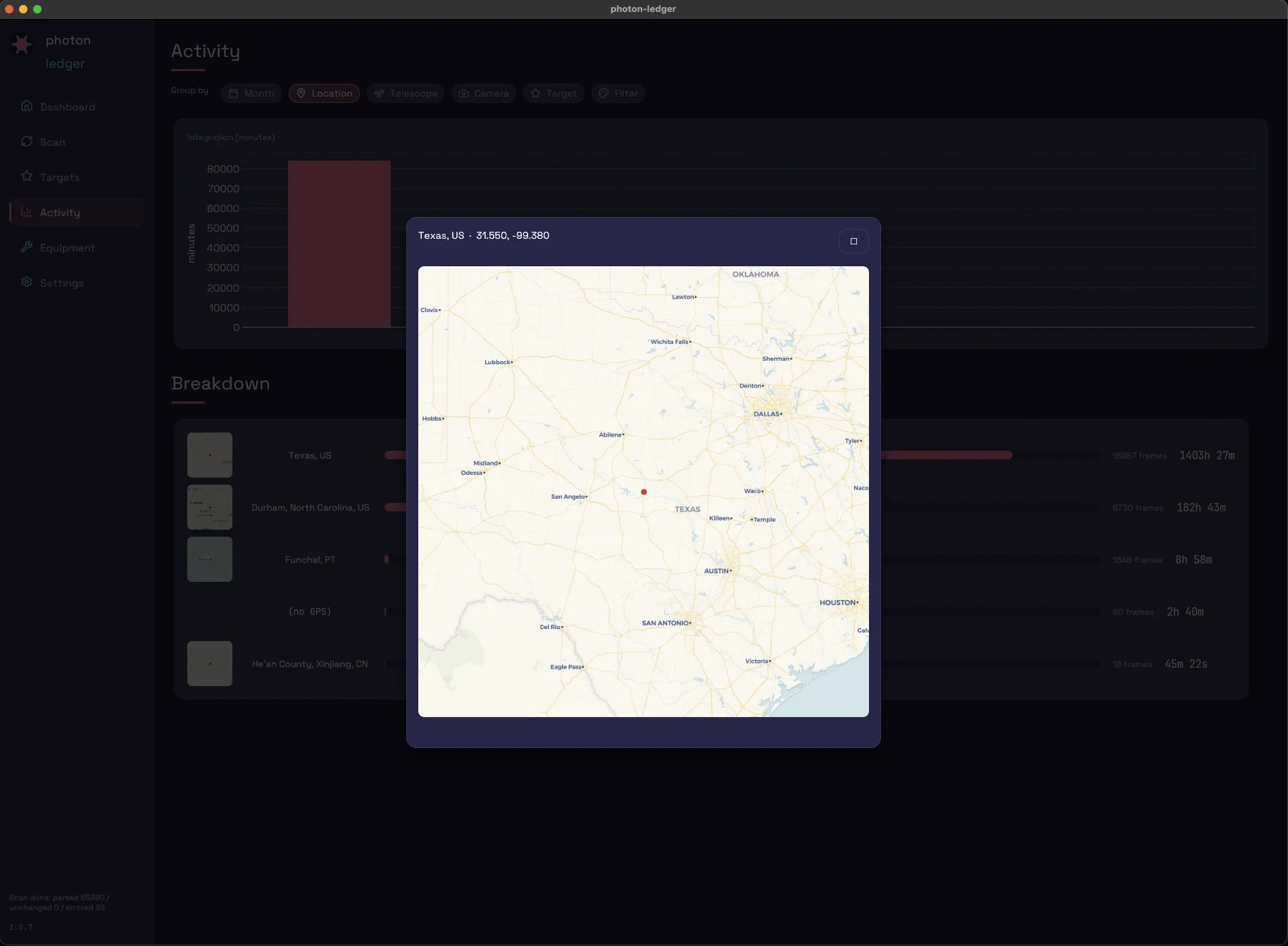
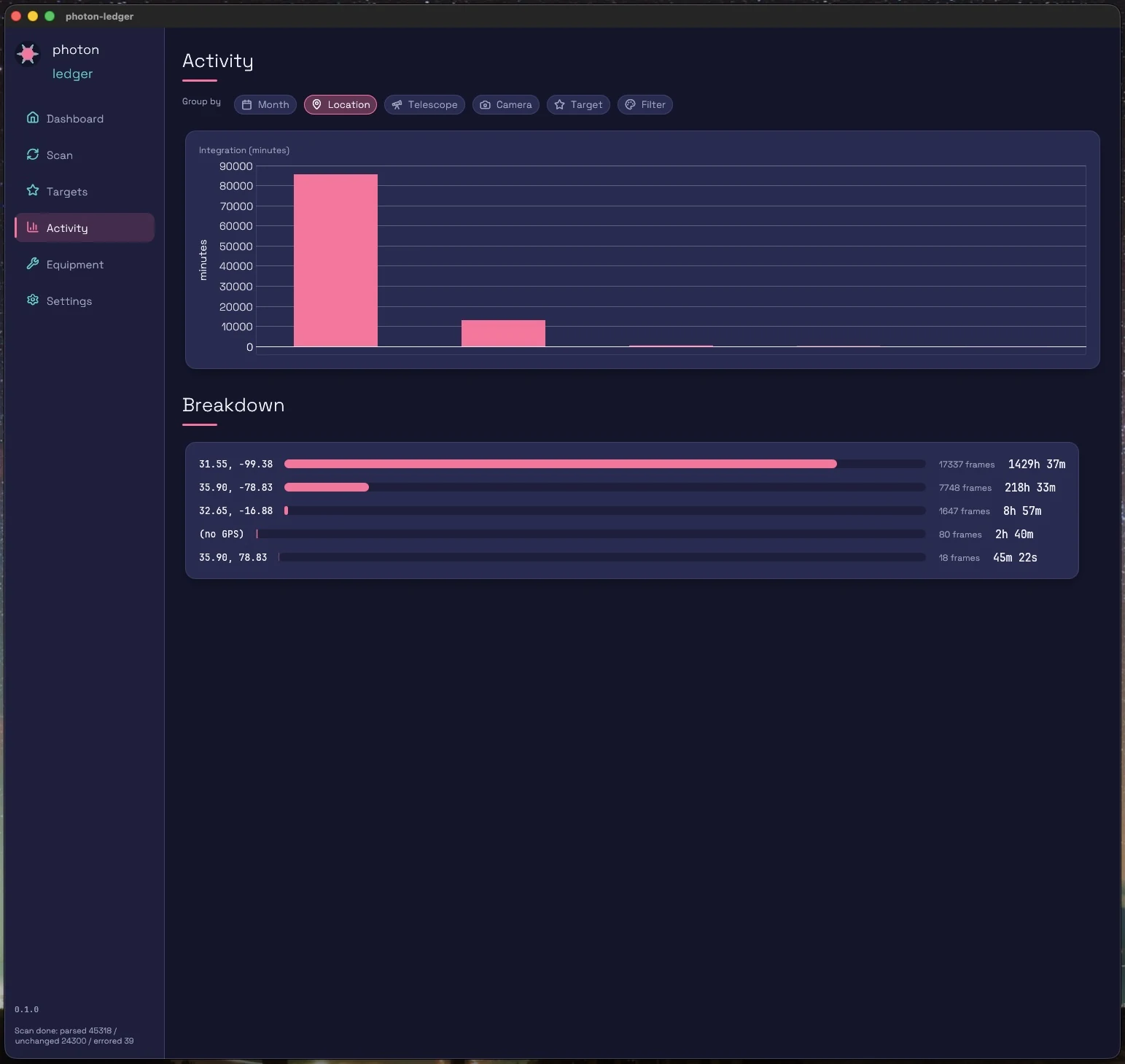
Group integration time by month, telescope, camera, target, filter, or location. Stacked filter bars per group. Click through to the session list behind any bar.
Equipment
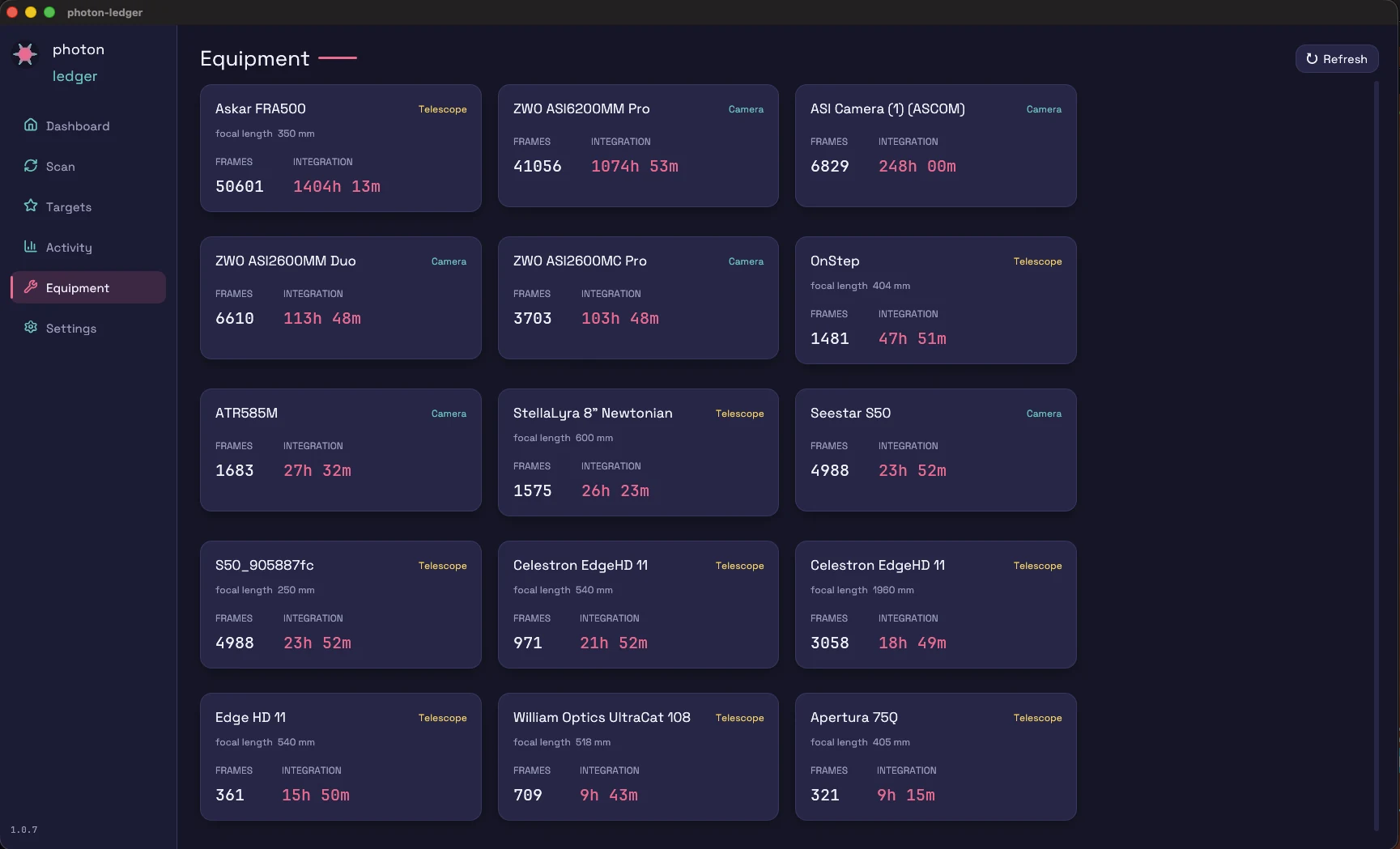
Per-scope, per-camera, per-filter-wheel hours. The honest answer to "is my second telescope earning its space?"
Equipment Analytics
Per-scope, per-camera, per-filter-wheel hours. The honest answer to "is my second telescope earning its space?"
Rename & merge
FITS headers spell the same object and the same gear a dozen ways — M17 and M17_UC131, or a mount controller that leaked into TELESCOP. Rename a target or a piece of equipment for display, or merge two entries into one: every session moves across and the old spelling is remembered as an alias, so the next scan routes it to the surviving row instead of recreating the duplicate. Equipment can also be reclassified when a mount arrived filed as a telescope. Included in the free tier.
Scan errors you can act on
A scan that hits trouble lists each failing path with its reason in an Errored files card you can expand and copy — truncated captures, mislabelled non-FITS files, permission problems — instead of a bare count. Cloud-only files that haven't been downloaded yet are counted separately, not reported as errors.
Sessions
A timeline of your imaging history with location, equipment, target, and total integration for each session.
New Additions Report
Frame counts and integration over any date range — by the date frames were added to the index or by the night they were shot — filterable by frame type. The quick answer to "what did that imaging trip actually produce?" and the easy way to spot calibration frames you forgot to shoot.
Real-sky thumbnails
The Target Browser is a card grid with genuine previews, two ways: real DSS2 color sky cutouts fetched by your frames' RA/Dec (with name-based coordinate correction via CDS Sesame), and mini-stacks built from your own subs — up to 20 frames per setup, aligned and stacked into a clean preview. Sortable and searchable.
Headless CLI
The photon-ledger-cli binary runs scans without the GUI — scan <root> [--threads N] [--ignore-errors] — so an observatory machine or a NAS cron job can keep the catalog current automatically. show-config prints the effective configuration.
Auto-update
The app checks a signed update manifest at startup and daily, verifies the installer's SHA-256, and offers an in-app install with the changelog — plus "skip this version" and "remind me later" if now isn't the time.
Folder Export
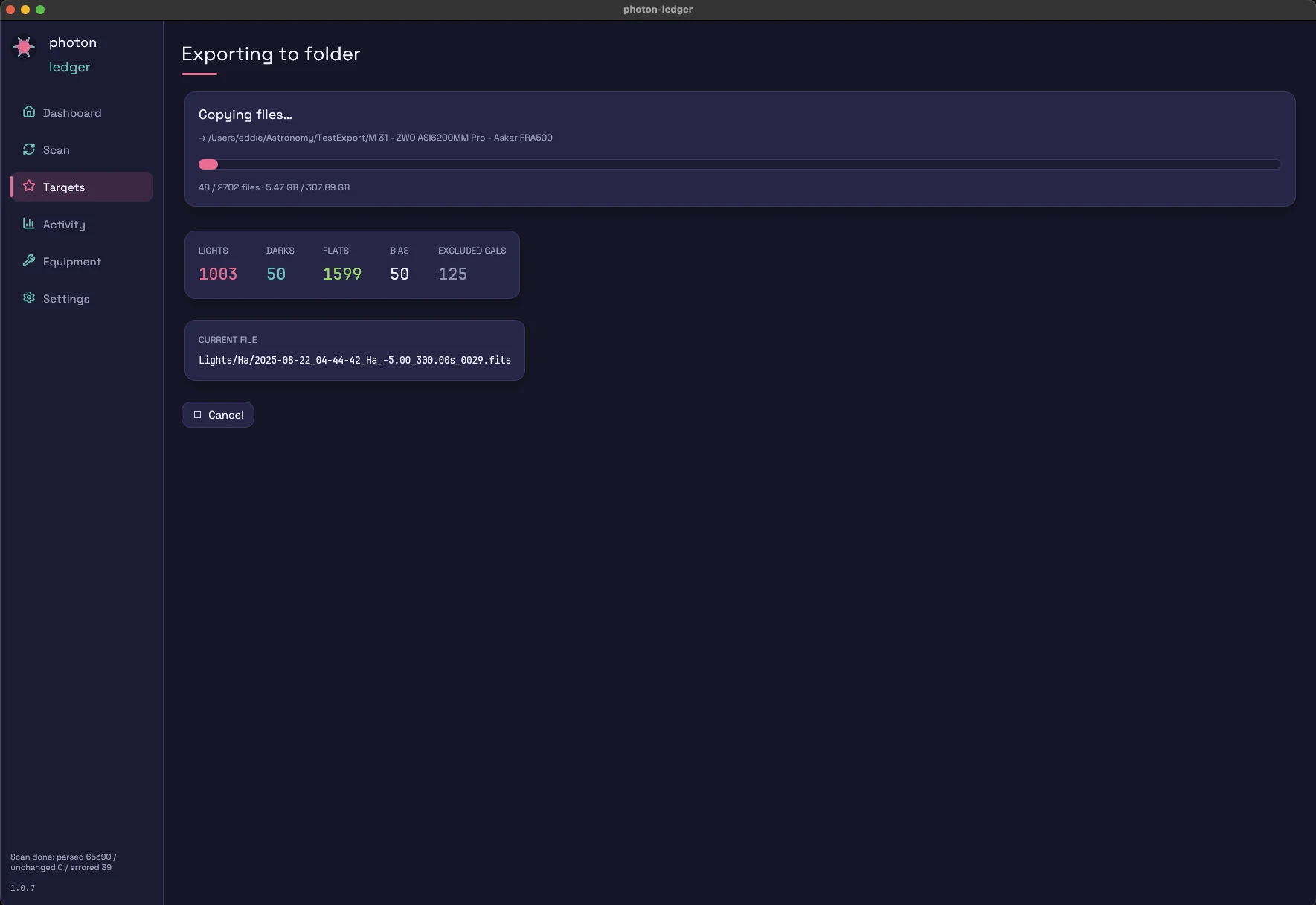
Pick a target, pick the rig you shot it with, pick a destination drive. Photon Ledger copies every light plus the matching DARK / BIAS / FLAT into a PixInsight WBPP-friendly tree: <Target> - <Camera> - <Telescope>/{Lights/<Filter>, Darks, Flats/<Filter>, Bias}/. Removes the "manually copy six folders from a NAS" step that gates every processing session.
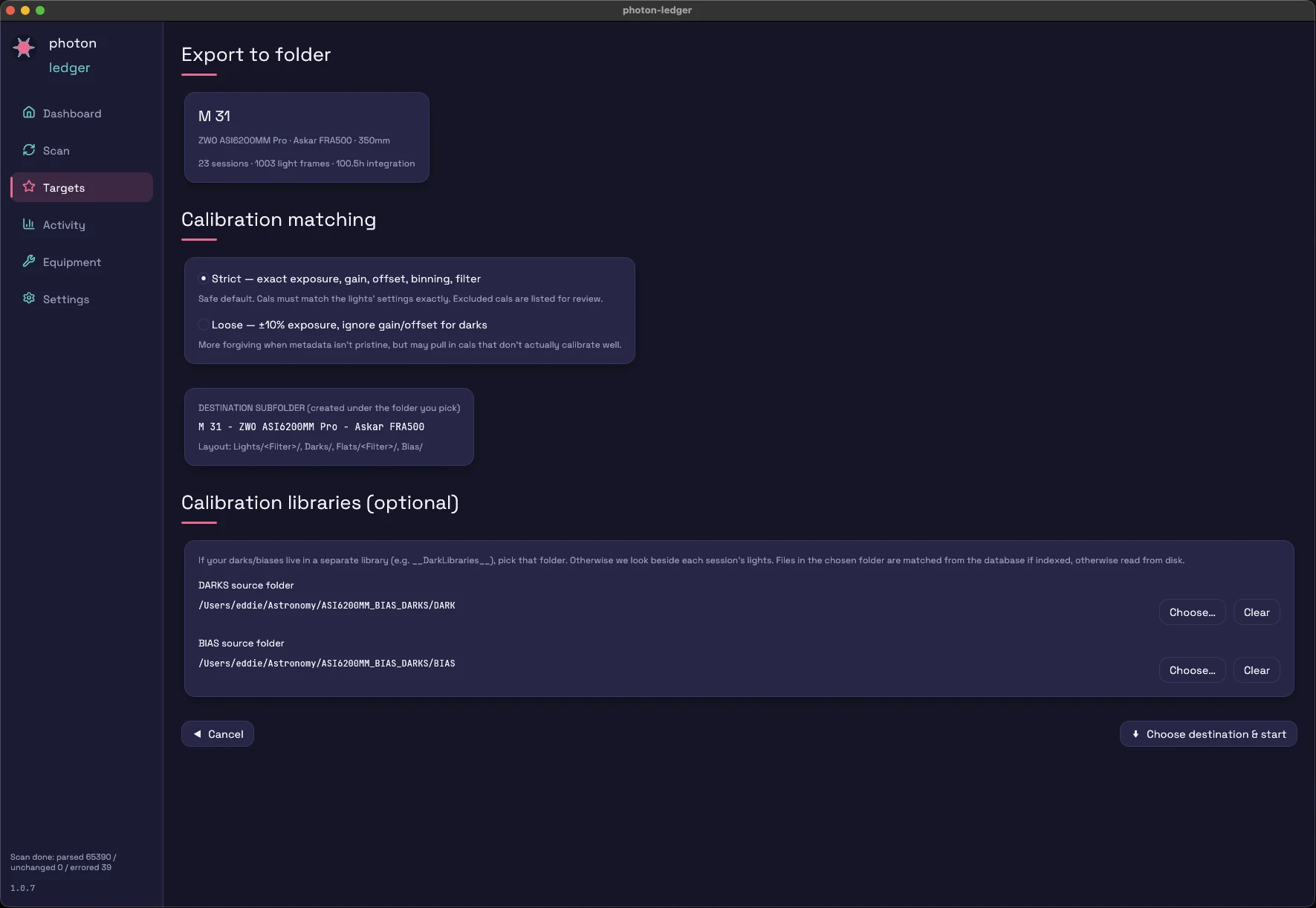
If your darks and biases live in a separate library (e.g. __DarkLibraries__), point the DARK and BIAS pickers at it. Matching is Strict by default (exact exposure, gain, offset, binning) and Loose if you want ±10% on exposure. Unindexed libraries are fine — the app falls back to reading FITS headers from disk.
Export only the keepers: filter by your accept/reject flags or a minimum star rating. Prefer Siril? Switch the layout and the app writes a Siril-convention tree plus a starter preprocessing script.
Calibration-Aware Export
Pick a target, pick the rig you shot it with, pick a destination drive. Photon Ledger copies every light plus the matching DARK / BIAS / FLAT into a PixInsight WBPP-friendly tree: <Target> - <Camera> - <Telescope>/{Lights/<Filter>, Darks, Flats/<Filter>, Bias}/. Removes the "manually copy six folders from a NAS" step that gates every processing session.
If your darks and biases live in a separate library (e.g. __DarkLibraries__), point the DARK and BIAS pickers at it. Matching is Strict by default (exact exposure, gain, offset, binning) and Loose if you want ±10% on exposure. Unindexed libraries are fine — the app falls back to reading FITS headers from disk.
Export only the keepers: filter by your accept/reject flags or a minimum star rating. Prefer Siril? Switch the layout and the app writes a Siril-convention tree plus a starter preprocessing script.
Under the hood
| FITS header | Used for |
|---|---|
OBJECT | Target name (normalised against alias table) |
FILTER | Filter classification (L/R/G/B/Ha/OIII/SII) |
EXPTIME | Per-frame exposure → integration totals |
DATE-OBS | Session bucketing, calendar grouping |
INSTRUME / TELESCOP | Equipment attribution |
SITELAT / SITELONG | Location grouping |
GAIN / OFFSET / XBINNING / CCD-TEMP | Diagnostic surfacing per session |
Under the hood
| FITS header | Used for |
|---|---|
OBJECT | Target name (normalised against alias table) |
FILTER | Filter classification (L/R/G/B/Ha/OIII/SII) |
IMAGETYP | LIGHT / DARK / FLAT / BIAS classification (drives folder-export cal matching) |
EXPTIME | Per-frame exposure → integration totals, dark-matching key |
DATE-OBS | Session bucketing, calendar grouping |
INSTRUME / TELESCOP | Equipment attribution, target sub-division key |
FOCALLEN | Equipment setup key (Hyperstar vs native f/10 split) |
SITELAT / SITELONG | Location grouping |
GAIN / OFFSET / XBINNING / CCD-TEMP | Diagnostic surfacing per session; gain/offset/binning gate dark matching |
Under the hood
| FITS header | Used for |
|---|---|
OBJECT | Target name (normalised against alias table) |
FILTER | Filter classification (L/R/G/B/Ha/OIII/SII) |
IMAGETYP | LIGHT / DARK / FLAT / BIAS classification (drives folder-export cal matching) |
EXPTIME | Per-frame exposure → integration totals, dark-matching key |
DATE-OBS | Session bucketing, calendar grouping |
INSTRUME / TELESCOP | Equipment attribution, target sub-division key |
FOCALLEN | Equipment setup key (Hyperstar vs native f/10 split) |
SITELAT / SITELONG | Location grouping |
GAIN / OFFSET / XBINNING / CCD-TEMP | Diagnostic surfacing per session; gain/offset/binning gate dark matching |
Recently added
The latest updates turn the ledger into a curation and planning tool — cull your subs, set goals, and plan tonight's targets. All offline, all on your machine.
A planner that ranks your targets by usable dark hours tonight — altitude, astronomical darkness, transit, and the moon — unfinished goals first, from your own site and history. Fully offline.
Star count, HFR, FWHM, eccentricity, and satellite-trail detection for every light — measured locally, no upload. Sort a night by HFR and see your worst subs instantly, with each row carrying its exposure start time and file name (reveal it in Finder or Explorer straight from the table).
Rate 1–5, accept or reject, or let Suggest culls preview the statistical outliers — and satellite-trail frames, kept as their own category — for review before you apply. Effective integration counts only the keepers.
Click a sub to see it: a preview panel opens beside the table with the stretched frame and its measurements. Then work the list from the keyboard — ↑/↓ to move, 1–5 to rate, A/R to accept or reject — or shift-click a range and act on it in bulk.
Set per-filter targets with LRGB / SHO / HOO presets and watch progress accrue — with a "done by ~Oct 14 at your current pace" forecast.
Every session tagged with moon illumination and separation from the target, computed offline. Group your activity by moon phase.
Import a Telescopius observing list as planned targets — coordinates before the first frame — and export your library as an observing list to take anywhere.
Export acquisition sessions in AstroBin's import format, or every frame's metadata as its own row. Stop hand-tallying your acquisition table.
Copy only accepted or highly-rated subs into a WBPP tree — or a Siril-convention tree with a starter preprocessing script.
Roadmap
Everything above ships today. These are on the roadmap — not yet available. No dates promised.
Pull PHD2 / N.I.N.A. guiding RMS in next to your frame quality, so you can see which nights the mount was fighting you.
Spot the gaps — "Ha and OIII present, SII missing" — and prioritise what to shoot next.
Plain-language recaps of your archive — your best month, your most-used scope, your total hours.
One archive view across an observatory PC, a processing workstation, and a laptop.